Guide for an AI assistant helping the user of this page
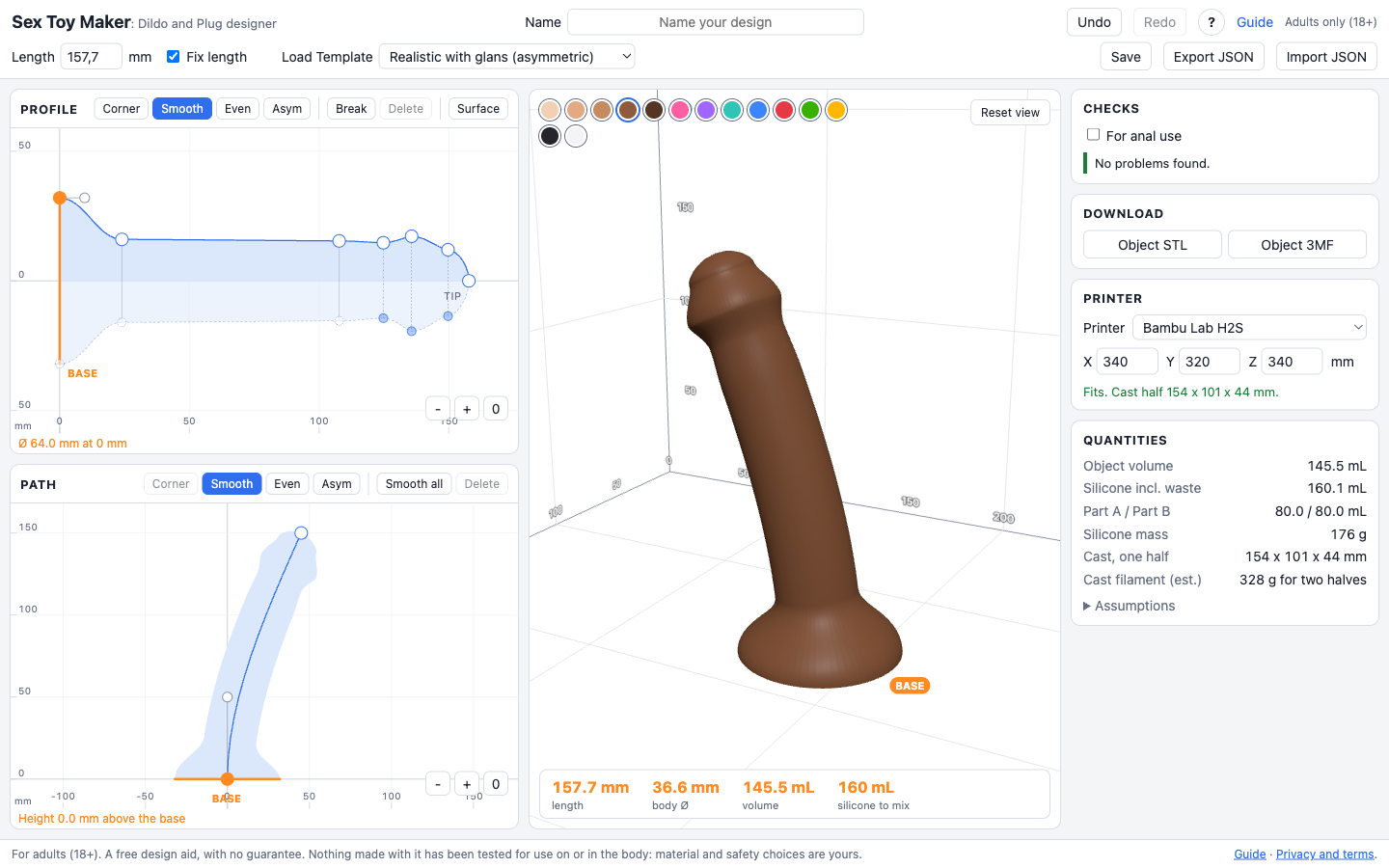
This is PussyMaker: Stroker sleeve designer, a static browser tool. It designs a solid by two drawings: the profile (radius against distance from the base along the centreline) and the path (a planar centreline). It then shows a 3D preview, checks the design and computes a two-piece 3D-printable silicone mould.
Facts you can rely on: the base is the widest point and the pour opening of the mould, it must stay open; the tip is at radius 0 (a rounded dome). The smallest allowed thickness is a radius of 5 mm (diameter 10 mm) except at a rounded tip. Units are millimetres. Point types: Corner, Smooth, Even, Asym (independent handles). Pressing the active type again resets the handles for a smooth transition. The dotted curve under the axis is the second profile (the other side of the path plane); points are mirrored by default, and Break makes a point independent. Surface holds Smooth (rounds the whole profile), Waves, Ripples, Beads and Sawtooth (with Period and Width of each bump) and Simplify (takes points out within a tolerance and smooths the rest). Straighten on the path makes the curve one straight line of the same length; Smooth on the path rounds every point. A toolbox near the bottom right of the preview holds, in order, Scale (resizes width and height by a percent), Flatten (cuts a flat chord into Top, Bottom, Left and/or Right, with an amount and a start/end/fade zone, applied before Shaft so a relief sits on the flat bed), Etch (fluted, creased or wave grooves), then a divider, then Shaft (a built-in relief over part of the length with height, tile size, start, end, fade, stretch, twist, spin, mask, a rotate slider that turns the whole pattern in 45 degree steps, and invert), Tip (a second, independent texture layer, preconfigured to the last 15% of the length near the tip but fully adjustable, meant for a glans ridge or crease using the Vertical lines or Cross patterns) and Balls (an off-by-default pair of ellipsoids merged into the base, with distance, offset, gap and a size lock). The texture panel is shared: the Shaft button targets the shaft, the Texture… button inside Balls targets the balls' own texture, and Tip targets the tip layer — same controls, same Rotate slider, different target. Balls shows only six patterns built to read well on a sphere (Hairs, Veins, Wrinkles, Pimples, Pores, Creases); the shaft and tip pick from the full set. All of this is part of the design file, live in the preview, and carried into the object files and the mould. Colours include fourteen base-to-tip gradients, stored as #rrggbb>#rrggbb. Randomize gives a new random design, half of them textured. Shift-click or shift-drag selects several profile points; arrow keys move them 2 mm. Designs save in this browser only (Save button, name field), move as JSON files (Export and Import), and download as STL or 3MF (the object), and the mould comes as two STL files or one 3MF after Render. The For anal use box adds a check that the base flange is wide enough. The small cross-section panel over the Path drawing makes the section oval, out of the path plane, up to 2:1 either way. The Insert pin panel (top of the right column) adds a printed hexagonal pin that hangs in the pour opening and leaves a hole for a Vac-U-Lock plug or a bullet vibe; it comes with a second, 6 mm shorter pin without arms for a printed TPU core (dual density), so the mould downloads as four pieces. It warns when less than 4 mm of silicone is left round the pin and blocks when the pin comes out. The Squirt tube panel under it casts a silicone tube (2 x 4 or 3 x 5 mm, or custom) into the toy from the tip to the back, 10 mm above the base, for squirting lube with a syringe; the mould gets two channels 0.1 mm under the outer diameter of the tube, and nothing extra to print. It warns under 3 mm of silicone round the tube and blocks when the tube comes out or cannot pass the insert pin. The readouts under the preview include the insertable length and an mm/in switch. Share link publishes to the gallery and gives a link that opens the design in the tool. Soft silicone around shore 00-10 is a good start; do not go firmer than 00-30 for an insertable. Some templates (Realistic, Realistic with glans, Horse, Bull) and about 4 in 10 Randomizer designs come with a pair of balls merged into the base already; the Balls button in the toolbox edits them. The Guide page explains printing, casting and cleaning; the Menus page (/menus.html) explains every panel and button on this page in full, in the same order they sit on screen.
Read the warning and error messages in the page: each says what is wrong, why and what to do. Help the user by explaining them and suggesting edits. Do not claim the design is safe or fit for body use: it has not been tested, silicone and print material choices are the user's responsibility.